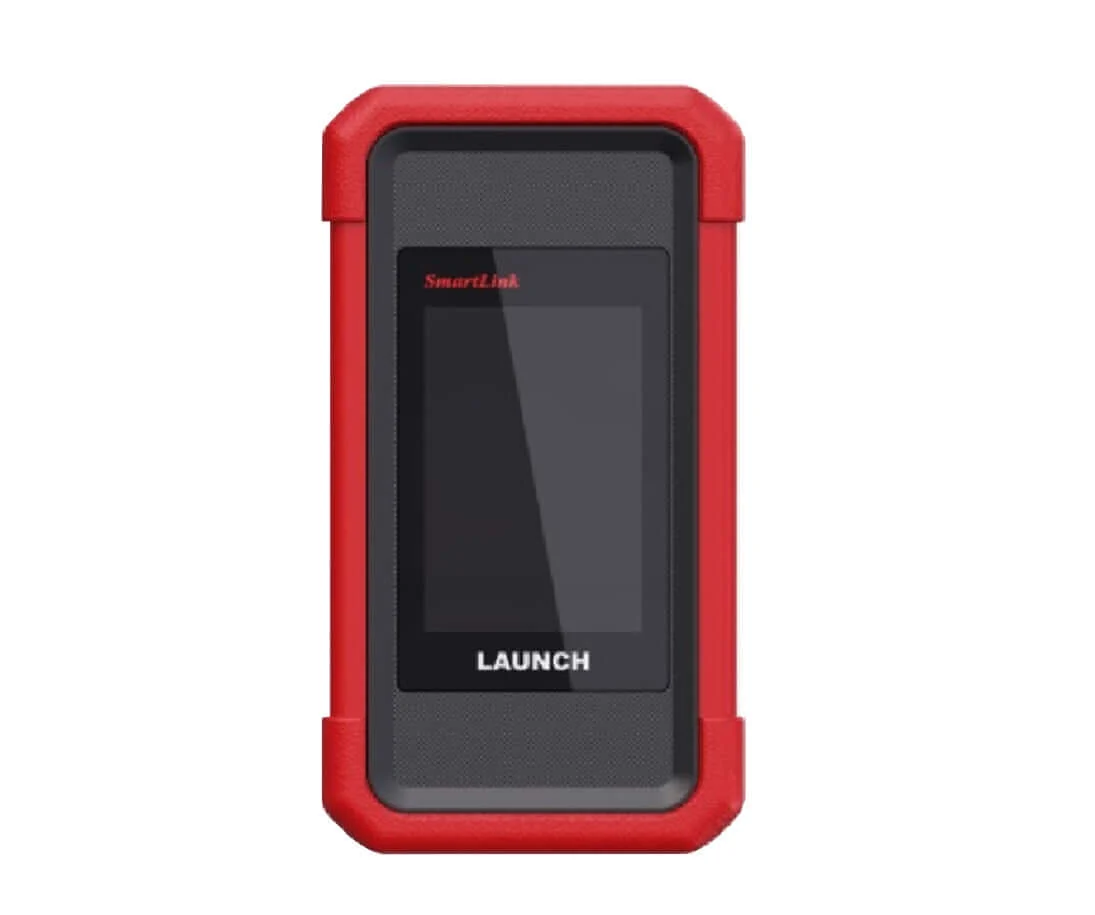
Launch SmartLink C V2.0 Remote Diagnosis Device Vehicle Data Link Connector
The SmartLink Remote Diagnostics System is a newly developed powerful service system dedicated to remote vehicle diagnosis and service. In this system, SmartLink B (Business), as a SmartLink Service Provider, can accept remote repair orders issued by SmartLink C users via SmartLink Service Platform.
Launch X431 SmartLink C Features
- Compatible with LAUNCH tools, OE tools or any other diagnostic tools
- SmartLink can be used not only remote diagnosis but also local diagnosis by working with LAUNCH intelligent diagnostics
- Support more advanced protocols like J2534, DoIP, CAN FD, CAN 2.0, RP1210, D-PDU
- Publish request and accept offer from Launch Super Remote Diagnosis Reservation Platform
Requires Activation card.
SRDs SmartLink:
Super Remote Diagnosis Solution:
SRDs is comprised of SmartLink C, SmartLink B and Cloud Platform.
The SmartLink C can be connected to the vehicle, and the SmartLink B can be connected with any diagnostic device.
The remote diagnosis will be carried out on the SmartLink platform.
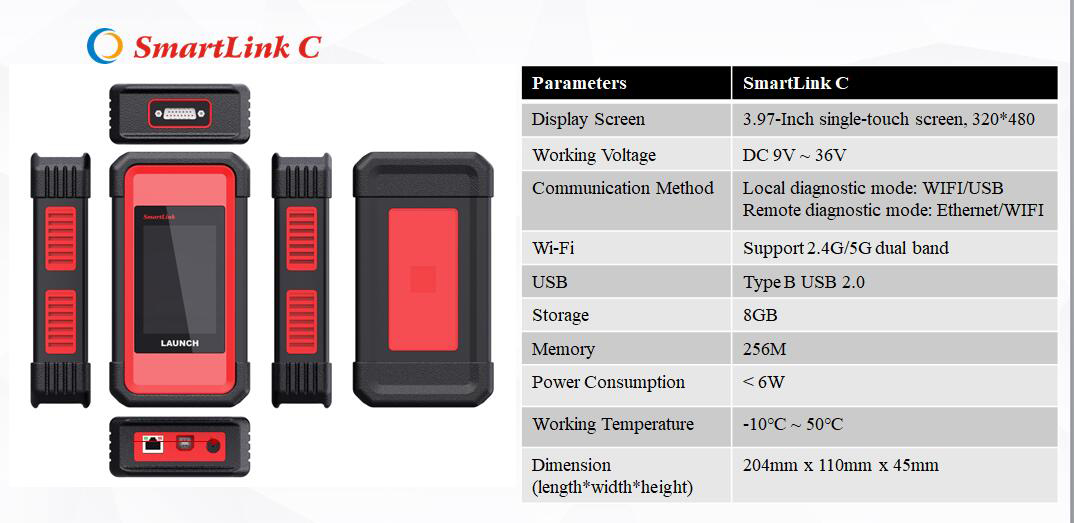
Launch X431 SmartLink C Technical Parameters
- 3.97“ Single-Touch Screen, 320 x 480
- Working Voltage: DC 9V ~ 36V
- Communication method: Ethernet
- Type B USB 2.0
- Storage: 8GB
- Memory: 256M
- Power Consumption: < 6W
- Working temperature: -10°C ~ 50°C
- Storage temperature: -20°C ~ 60°C
- Storage humidity: 10% ~ 90%
- Dimension: 204 x 110 x 45 mm
Launch X431 SmartLink C Service Platform:
SmartLink Platform is used to pair the connection between SmartLink C and SmartLink B operated with the internet browser.
SmartLink C user can post the remote diagnosis request on this platform. SmartLink B user can see the requests from their clients and accept the request to do the remote diagnosis.
How Does the LAUNCH SMARTLINK REMOTE DIAGNOSIS WORK?
This picture may help you better understand the complete procedure of the Smartlink remote diagnosis.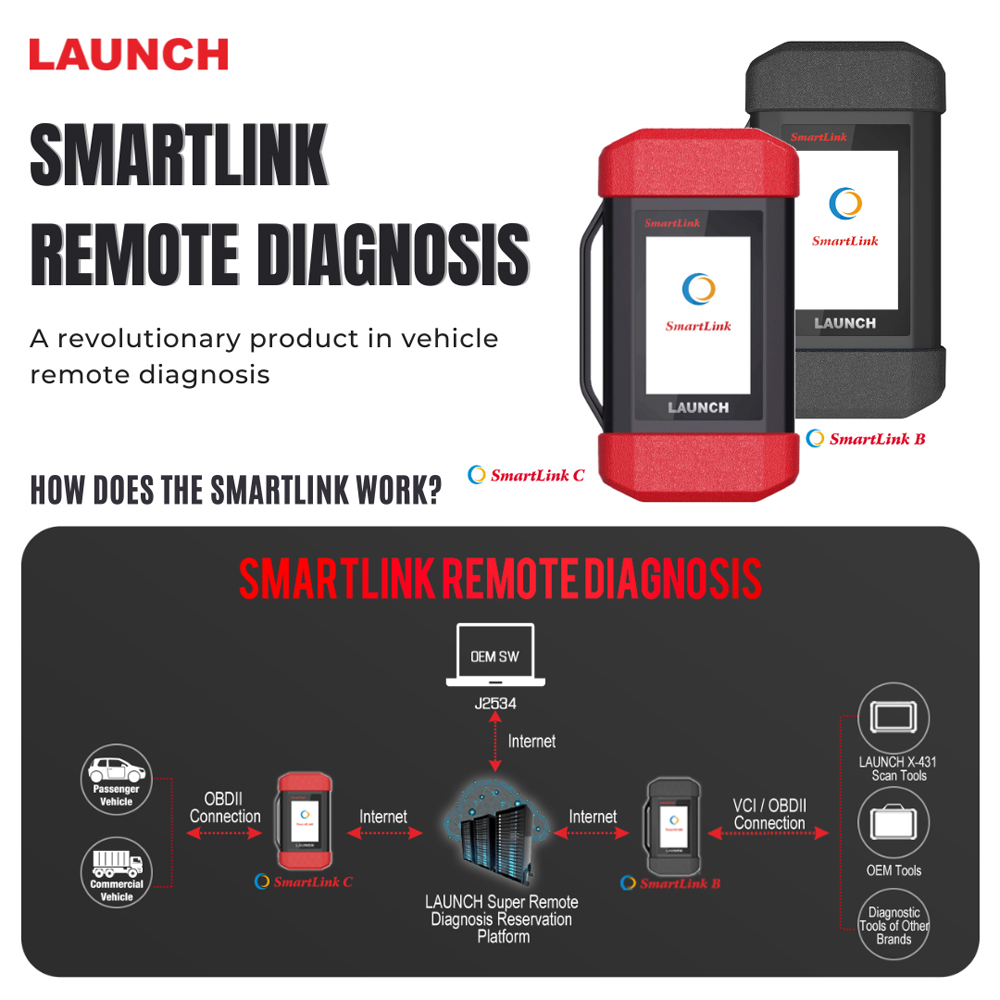
Launch X431 SmartLink C Packing List:
The following accessory items are for reference only. For detailed items, please consult with a local agency or check the packing list supplied with the device.
- SmartLink C Dongle – For SmartLink Service Provider
- OBD II Extension Cable – Connects the dongle to the VCI of the compatible diagnostic tool
- CAT-6 Crossover Cable – Connects the dongle to the network modem
- Power Adaptor – Supplies power to the dongle through an AC outlet.
Original: $849.00
-65%$849.00
$297.15Launch SmartLink C V2.0 Remote Diagnosis Device Vehicle Data Link Connector
The SmartLink Remote Diagnostics System is a newly developed powerful service system dedicated to remote vehicle diagnosis and service. In this system, SmartLink B (Business), as a SmartLink Service Provider, can accept remote repair orders issued by SmartLink C users via SmartLink Service Platform.
Launch X431 SmartLink C Features
- Compatible with LAUNCH tools, OE tools or any other diagnostic tools
- SmartLink can be used not only remote diagnosis but also local diagnosis by working with LAUNCH intelligent diagnostics
- Support more advanced protocols like J2534, DoIP, CAN FD, CAN 2.0, RP1210, D-PDU
- Publish request and accept offer from Launch Super Remote Diagnosis Reservation Platform
Requires Activation card.
SRDs SmartLink:
Super Remote Diagnosis Solution:
SRDs is comprised of SmartLink C, SmartLink B and Cloud Platform.
The SmartLink C can be connected to the vehicle, and the SmartLink B can be connected with any diagnostic device.
The remote diagnosis will be carried out on the SmartLink platform.
Launch X431 SmartLink C Technical Parameters
- 3.97“ Single-Touch Screen, 320 x 480
- Working Voltage: DC 9V ~ 36V
- Communication method: Ethernet
- Type B USB 2.0
- Storage: 8GB
- Memory: 256M
- Power Consumption: < 6W
- Working temperature: -10°C ~ 50°C
- Storage temperature: -20°C ~ 60°C
- Storage humidity: 10% ~ 90%
- Dimension: 204 x 110 x 45 mm
Launch X431 SmartLink C Service Platform:
SmartLink Platform is used to pair the connection between SmartLink C and SmartLink B operated with the internet browser.
SmartLink C user can post the remote diagnosis request on this platform. SmartLink B user can see the requests from their clients and accept the request to do the remote diagnosis.
How Does the LAUNCH SMARTLINK REMOTE DIAGNOSIS WORK?
This picture may help you better understand the complete procedure of the Smartlink remote diagnosis.
Launch X431 SmartLink C Packing List:
The following accessory items are for reference only. For detailed items, please consult with a local agency or check the packing list supplied with the device.
- SmartLink C Dongle – For SmartLink Service Provider
- OBD II Extension Cable – Connects the dongle to the VCI of the compatible diagnostic tool
- CAT-6 Crossover Cable – Connects the dongle to the network modem
- Power Adaptor – Supplies power to the dongle through an AC outlet.
Product Information
Product Information
Shipping & Returns
Shipping & Returns
Description
The SmartLink Remote Diagnostics System is a newly developed powerful service system dedicated to remote vehicle diagnosis and service. In this system, SmartLink B (Business), as a SmartLink Service Provider, can accept remote repair orders issued by SmartLink C users via SmartLink Service Platform.
Launch X431 SmartLink C Features
- Compatible with LAUNCH tools, OE tools or any other diagnostic tools
- SmartLink can be used not only remote diagnosis but also local diagnosis by working with LAUNCH intelligent diagnostics
- Support more advanced protocols like J2534, DoIP, CAN FD, CAN 2.0, RP1210, D-PDU
- Publish request and accept offer from Launch Super Remote Diagnosis Reservation Platform
Requires Activation card.
SRDs SmartLink:
Super Remote Diagnosis Solution:
SRDs is comprised of SmartLink C, SmartLink B and Cloud Platform.
The SmartLink C can be connected to the vehicle, and the SmartLink B can be connected with any diagnostic device.
The remote diagnosis will be carried out on the SmartLink platform.
Launch X431 SmartLink C Technical Parameters
- 3.97“ Single-Touch Screen, 320 x 480
- Working Voltage: DC 9V ~ 36V
- Communication method: Ethernet
- Type B USB 2.0
- Storage: 8GB
- Memory: 256M
- Power Consumption: < 6W
- Working temperature: -10°C ~ 50°C
- Storage temperature: -20°C ~ 60°C
- Storage humidity: 10% ~ 90%
- Dimension: 204 x 110 x 45 mm
Launch X431 SmartLink C Service Platform:
SmartLink Platform is used to pair the connection between SmartLink C and SmartLink B operated with the internet browser.
SmartLink C user can post the remote diagnosis request on this platform. SmartLink B user can see the requests from their clients and accept the request to do the remote diagnosis.
How Does the LAUNCH SMARTLINK REMOTE DIAGNOSIS WORK?
This picture may help you better understand the complete procedure of the Smartlink remote diagnosis.
Launch X431 SmartLink C Packing List:
The following accessory items are for reference only. For detailed items, please consult with a local agency or check the packing list supplied with the device.
- SmartLink C Dongle – For SmartLink Service Provider
- OBD II Extension Cable – Connects the dongle to the VCI of the compatible diagnostic tool
- CAT-6 Crossover Cable – Connects the dongle to the network modem
- Power Adaptor – Supplies power to the dongle through an AC outlet.